 Collecting macroinvertebrate data
When you're ready to enter your macroinvertebrate observations from your dive sheets, navigate to your project's Collecting page and click + Add sample unit. Choose the Macroinvertebrate belt method to open a sample unit form organized into four main sections: Sample event, Transect, Observers, Observations.
Completing a Macroinvertebrate Belt Sample Unit Form
Note: Required fields are marked with a red asterisk (*). These include site, management regime, observers, and key transect attributes. Optional fields include time, visibility, current, tide, and notes. Helper text is available for every field—just click the info icon next to a label to view tips, definitions, and example entries. |
1. Sample Event
Defines where and when the macroinvertebrate belt survey was conducted. You'll select:
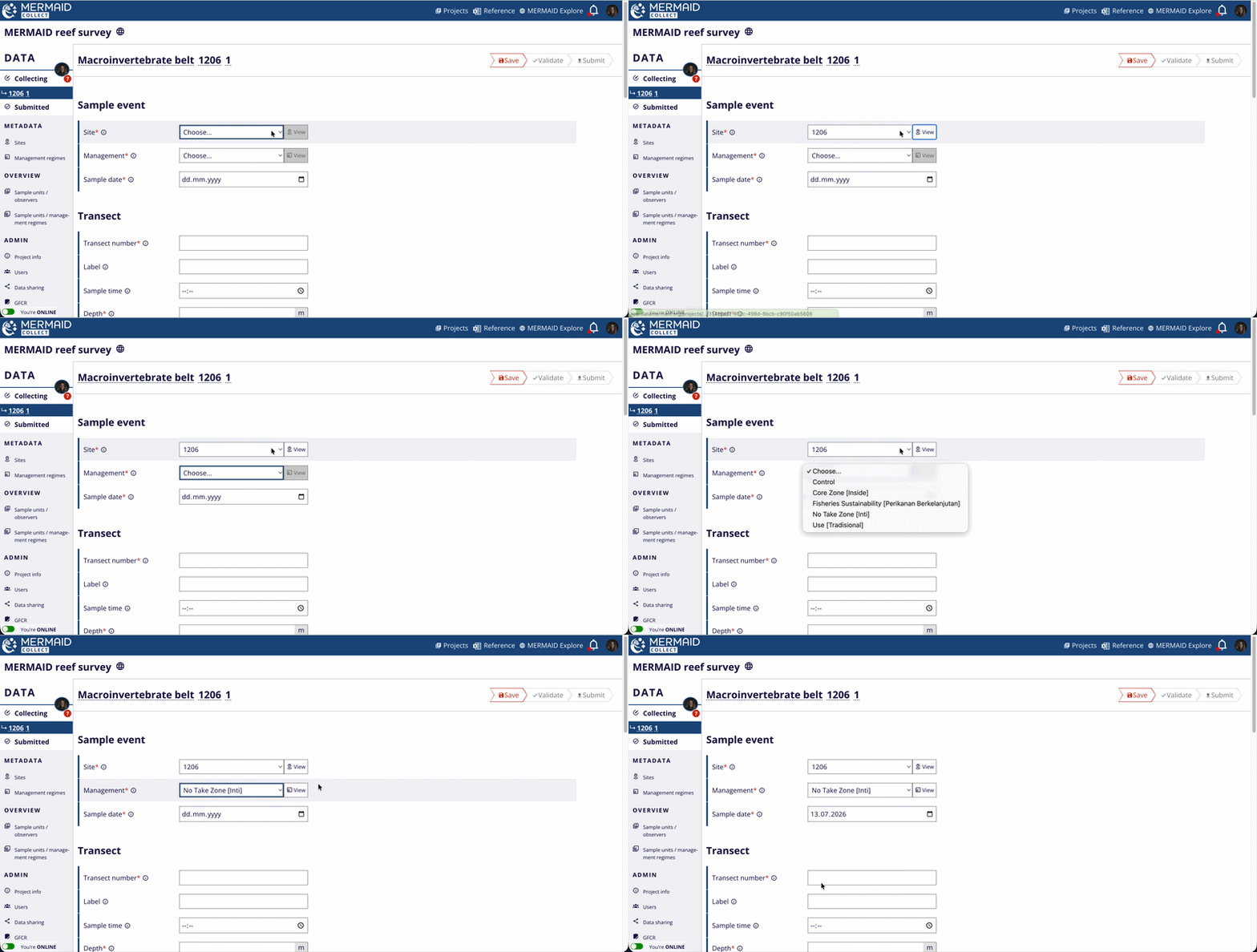
Each sample event (site, management regime, and date) is used to group your macroinvertebrate belt sample units for the macroinvertebrate density calculations in MERMAID. Learn more in Learning about Our Reef Health Metrics.
2. Transect
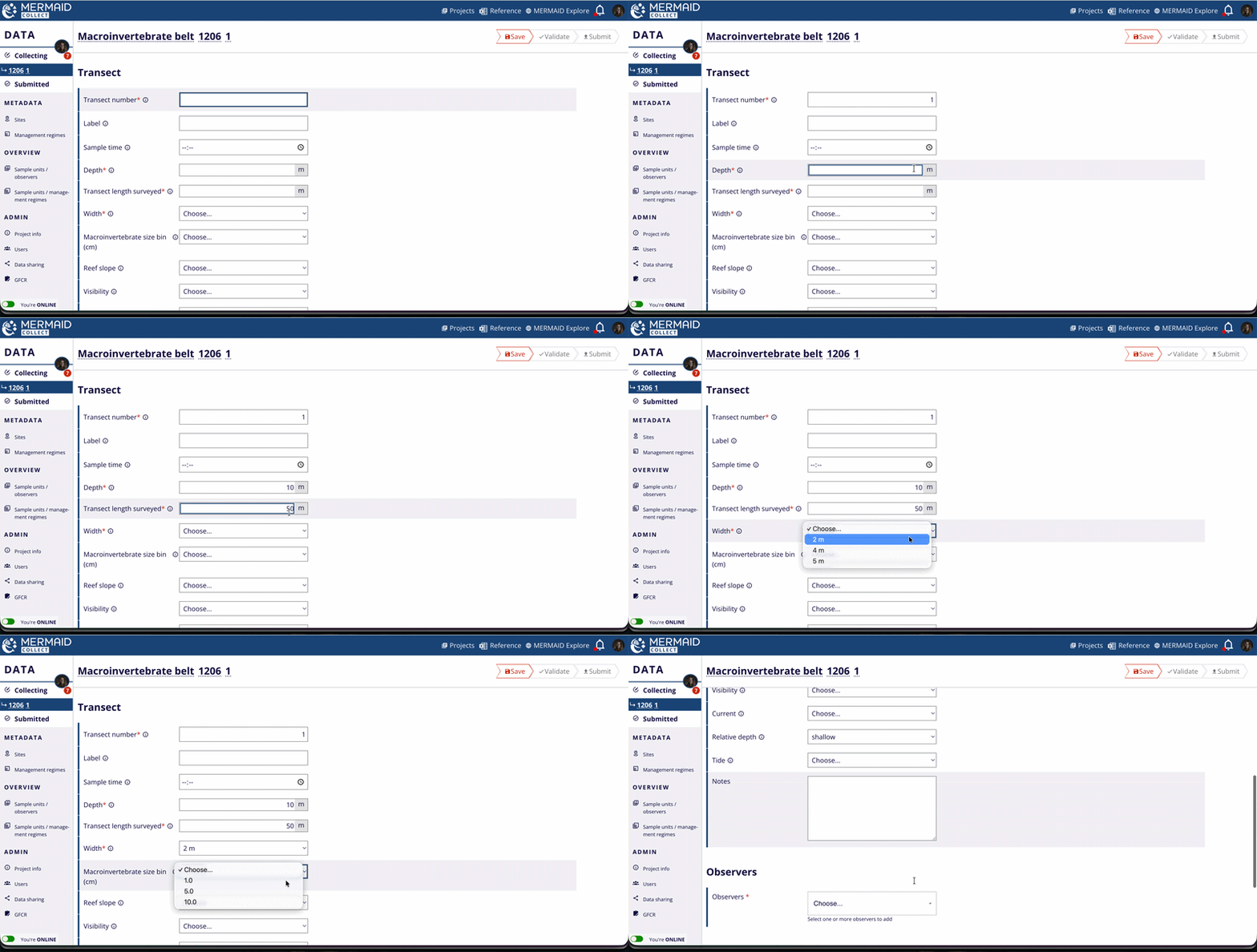
Protocol-specific fields for the fish belt survey:
Transect number
Depth (m)
Transect length surveyed (m)
Width (m) – This represents the total belt width surveyed combining both sides of the transect line. Options include single-width belts for all macroinvertebrate sizes:
2 m
4 m
5 m
Macroinvertebrate size bin (cm) – This represents the size class of the macroinvertebrate observed. Options are:
1 cm
5 cm
10 cm
For macroinvertebrate >50 cm, use the '50+cm' bin and enter exact size.
Optional fields – Reef slope, Visibility, Current, Relative depth, Tide, Notes.
Some fields use standardized dropdowns (e.g., belt width), while others accept numeric or free-text entries (e.g., transect length surveyed).
MERMAID requires you to specify the transect length surveyed and total belt width (m). These inputs are needed to calculate the surveyed area for density estimation (ind/ha). For example, a 50 m long transect with a 5 m total width covers 250 m², or 0.025 ha.
3. Observers
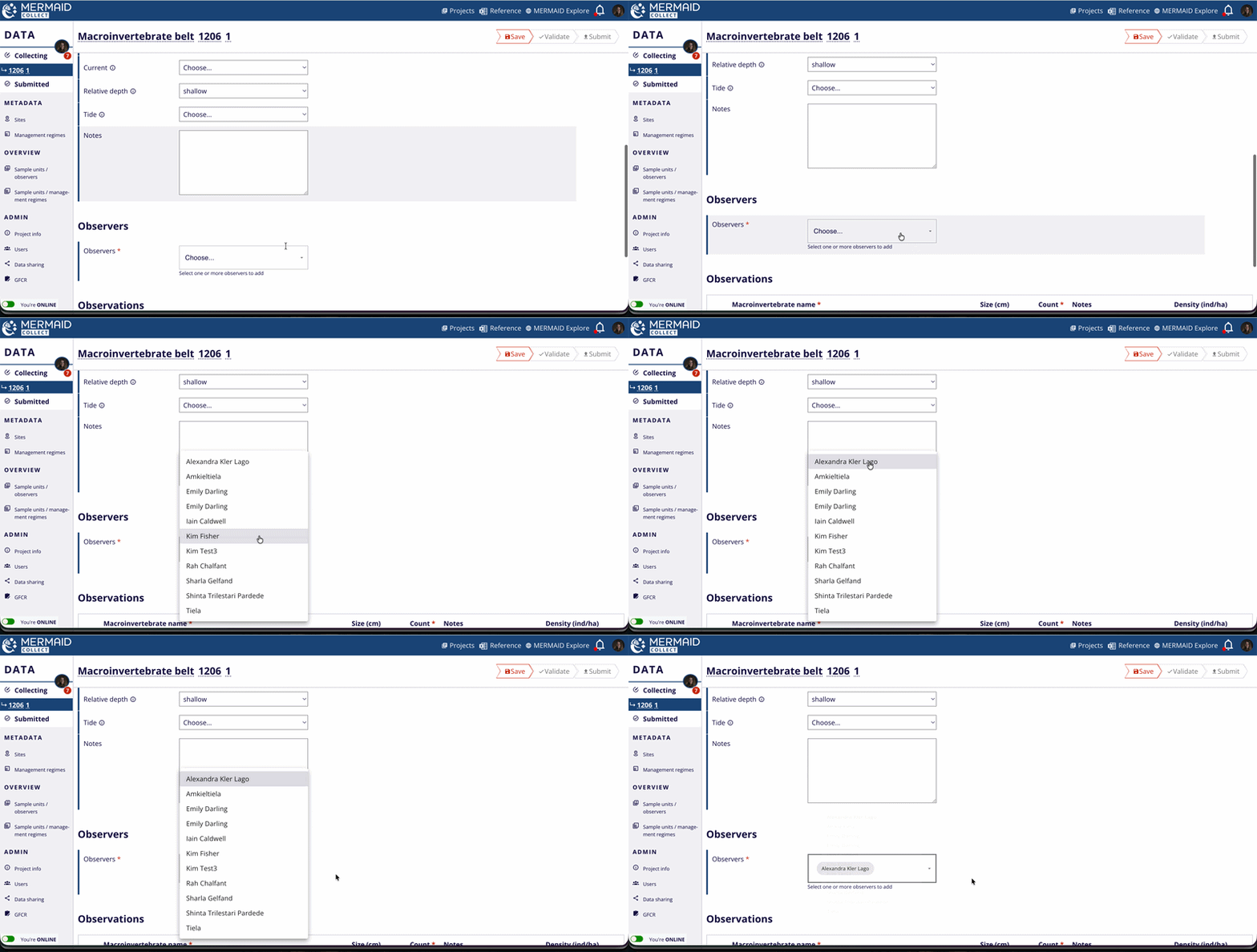
Assign the observer(s) who conducted the survey:
Select from the list of project users
Click to add/remove names
At least one observer is required per sample unit
4. Observations
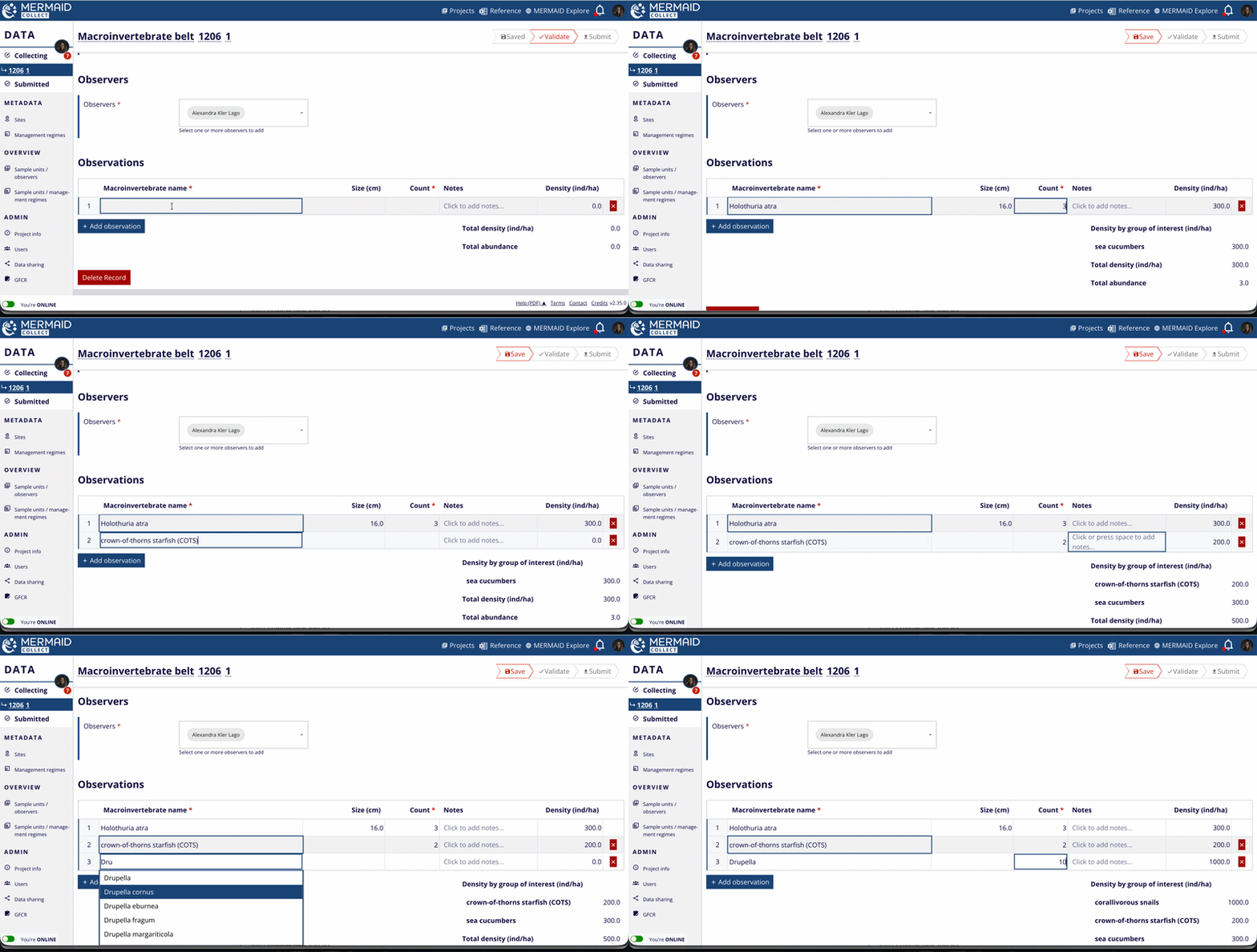
Enter your raw field observations:
Macroinvertebrate name – Enter the observed taxon; this can be at the species, genus, or family level, depending on the precision of your identification. Alternatively, you can also enter the common name of the macroinvertebrate group (based on our groups of interest):
Conchs
Lobsters
Sea cucumbers
Crabs / shrimps
Octopus
Sea urchins
Crown-of-thorns starfish (COTS)
Other invertebrates
Triton’s trumpets
Corallivorous snails
Pearl oysters
Trochus shells
Giant clams
Polychaete worms
Turban shells
Size (cm) – Record the estimated size of the macroinvertebrate (in cm) observed in this row. The type of measurement may vary with the observed macroinvertebrate. For example, for sea cucumbers size equals the total body length while for giant clams size equals the total shell length. Size is optional, and only required if you select a size bin.
Count – Enter the number of individuals observed for that fish name at the specified size.
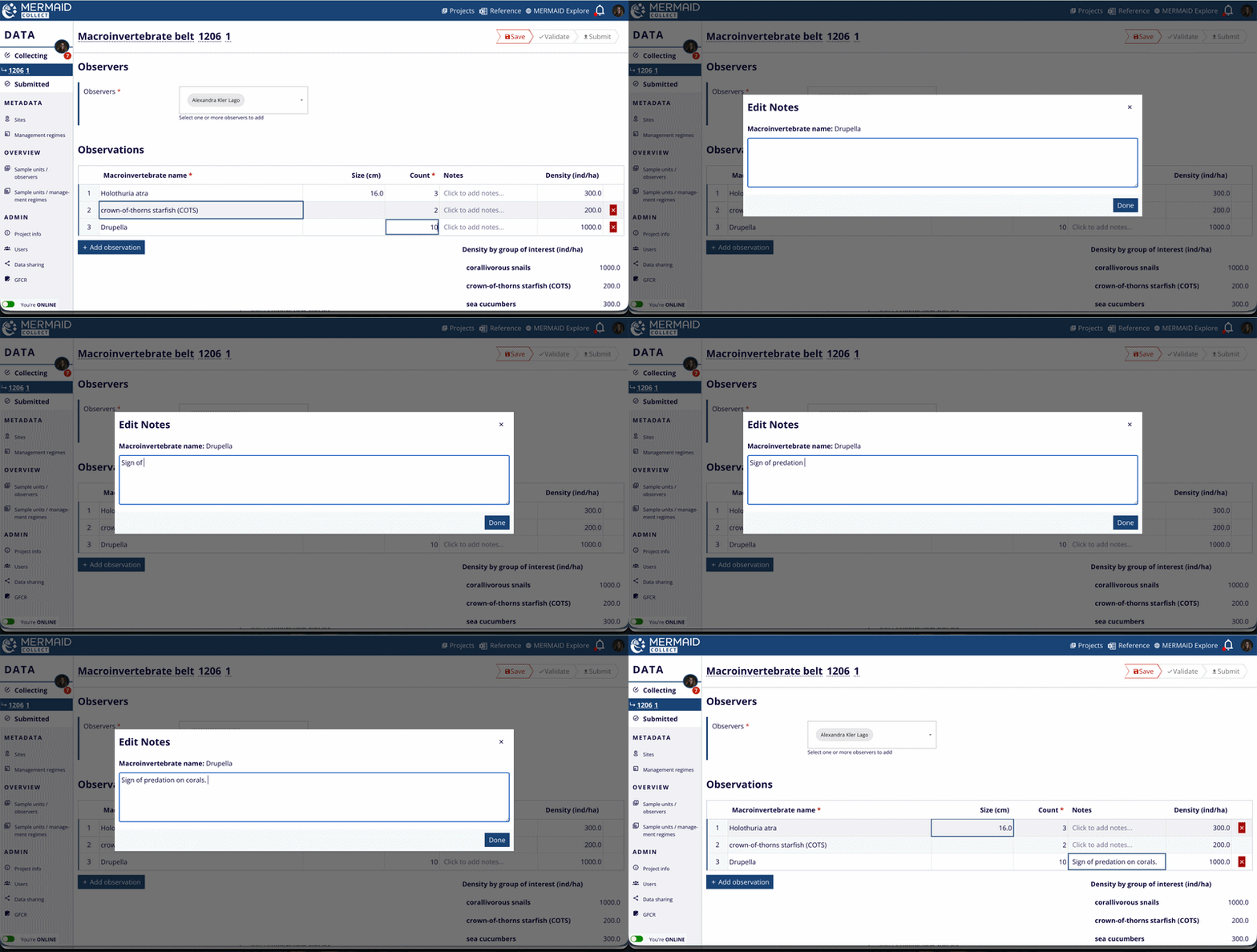
Notes – Enter any observation specific notes to record information such as the type of measurement, evidence of gleaning, or signs of predation.
Proposing a New Macroinvertebrate Species
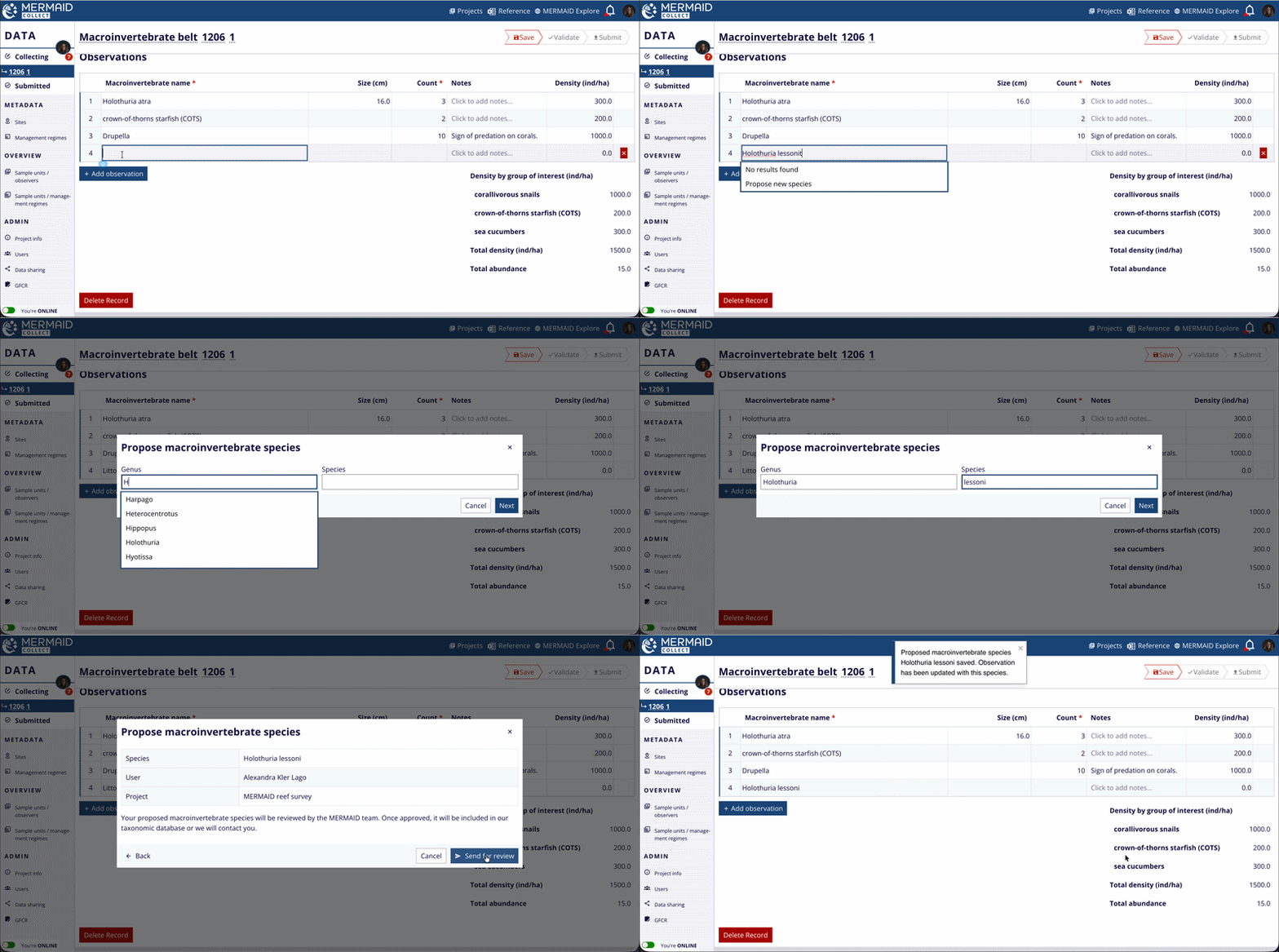
If a macroinvertebrate species isn’t yet listed in the dropdown:
Type its name in the Observations table.
Select Propose new species….
Select Genus name from the dropdown and enter the Species name.
Click Next to review your suggestion.
Click Send to MERMAID to submit it for review.
If the genus is missing, select Contact us for help to notify the MERMAID team.
The macroinvertebrate taxonomy in MERMAID is standardized using the World Register of Marine Species (WoRMS) to ensure consistent species classification.
Note: Check the species in WoRMS to ensure the species name is accepted before submitting. Your entry will be provisionally included but becomes official only after reviewed and approved by the MERMAID Team. |
You can download the full list of available fish species using the Reference icon in MERMAID Collect.
Tips for Data Entry: Keyboard Shortcuts and Predictive Text
Use these keyboard shortcuts and the predictive text to move quickly through the Observations table in a sample unit form:
Use the Tab key to move across fields in a row.
Use the Up and Down arrow keys to scroll through macroinvertebrate name suggestions.
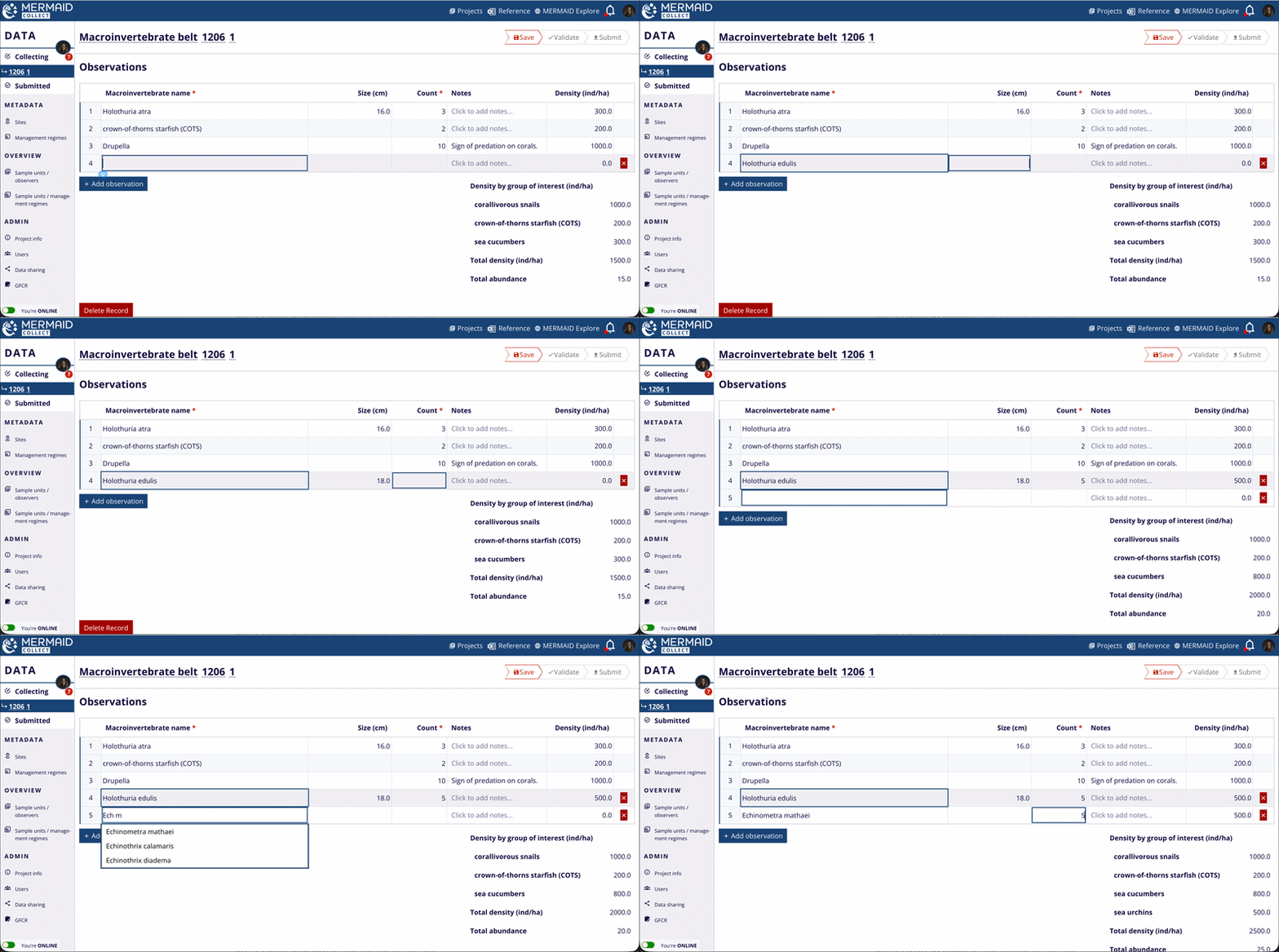
Under the column Macroinvertebrate name, type a few letters of your observation (e.g., Acaplan for Acanthaster planci), then use the arrow keys and Enter/Return/Tab to select it from the matching dropdown options. Or type until there’s only one option and press Enter/Return.
Press Tab at the end of a row to duplicate the observation in the next row—useful for entering different size bins for the same macroinvertebrate species in a transect.
Press Enter/Return to start a new row and begin typing the next observation.
This helps ensure consistent naming and speeds up your workflow—especially when entering lots of observations.
Metric Summaries in a Macroinvertebrate Belt Sample Unit
MERMAID automatically calculates and displays key macroinvertebrate metrics as you enter observations, providing immediate feedback for data validation and quality control—even while offline.
Total density per group of interest (ind/ha) is calculated in real time based on the surveyed area (transect length x belt width) and counts by group of interest (e.g., sea cucumbers, sea urchins, giant clams, COTS, corallivorous snails)
Total density (ind/ha) is calculated in real time based on the surveyed area (transect length × belt width) and counts.
Total abundance (count of individuals) is computed automatically as the sum of all individual macroinvertebrate counts entered in the Observations table.
Reminder: Enter both transect length surveyed and belt width to enable density calculations.
Read more about these calculations in Learning About Our Reef Health Metrics.